Ecommerce downtime costs more during peak sales windows because a few hours can generate as much revenue as several normal days. A crash at minute forty of your largest sale hits harder than a routine bad day. That window carries the most weight your numbers will see all year.
If this sounds like you, the real question is what happens if something breaks during the one window you cannot afford to lose.
WP Guard works with ecommerce teams gearing up for a major sales window, and that gap is exactly where most teams get caught off guard. Many reach out once they realize their current setup was never built with zero-downtime website protection in mind.
This guide covers why ecommerce downtime gets more expensive during peak traffic. It also breaks down why peak sales carry their own risk, and what needs to happen before the traffic hits.
Why Does Ecommerce Downtime Cost More During Peak Traffic?

Ecommerce downtime costs more during peak traffic because revenue per minute climbs sharply while your site carries the most visitors it will see all year.
That said, a store pulling in a few hundred dollars an hour on a normal Tuesday might process that same amount every few minutes during a major sale. So the cost of an outage grows right alongside your best numbers of the year.
According to GoPinger’s downtime cost research, the numbers scale by business size:
- Small businesses: around $427 per minute on average
- Mid-market companies: closer to $5,600 per minute
- Large enterprises: as high as $23,750 per minute
That range explains why the same five-minute outage can barely register for one store and wipe out a week of profit for another.
Here’s the part most guides skip. Raw traffic volume rarely takes a site down on its own. According to Beanstalk Web Solutions’ Black Friday research, around 70% of website outages during major sales trace back to poor maintenance, outdated plugins, or missed backups rather than high traffic by itself.
A store that crashes during a big event usually had a weak spot sitting there for weeks, and the traffic spike just happens to be what finally exposes it.
That’s why the fix starts earlier than most teams expect. Capacity planning addresses one side of the problem, while security and maintenance address the side that actually causes most outages.
The Super Bowl Problem for Ecommerce Companies
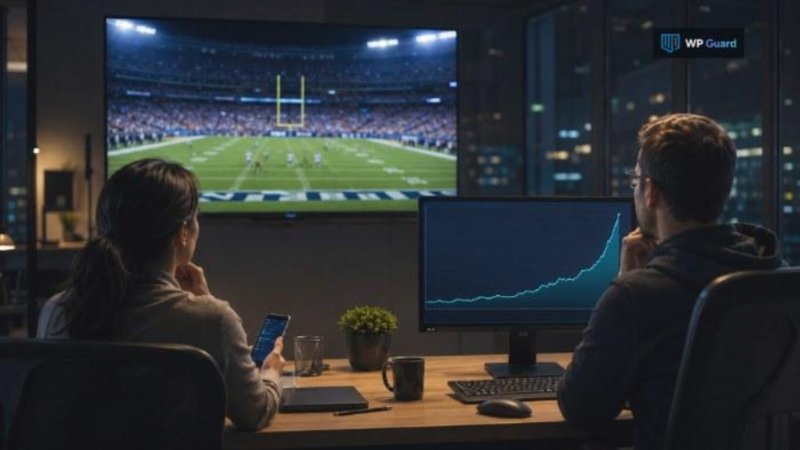
The Super Bowl is the NFL’s championship game. Well over 100 million people in the US watch it, and the broadcast airs alongside some of the most expensive advertising slots of the year.
For ecommerce companies, that audience creates a short, intense burst of attention. Nothing about it behaves like a typical holiday sale.
Here’s proof of how sharp that burst can be. Cloudflare’s analysis of Super Bowl LVIII tracked two standout spikes:
- e.l.f. Cosmetics: traffic jumped 8,118% above baseline right after its ad aired
- TurboTax: site traffic spiked 24,875% above baseline within minutes of its commercial
Both surges compressed into a single evening. Some landed within seconds of a specific ad going live on screen.
You might be wondering why a few hours carry more risk than a few days of steady traffic. It comes down to reaction time, and the difference plays out in the numbers above. A Black Friday sale gives your team days to catch a problem and fix it quietly, but a Super Bowl spike gives you minutes instead.
On top of that, most of those minutes land during commercial breaks and halftime, right when shoppers already have their phones out.
There’s a security angle here too, and it’s one most ecommerce companies overlook. The same Cloudflare research found scam and phishing email volume tied to the Super Bowl jumped more than 6x in the days leading up to the game. Attackers plan around major events the same way marketers do. A compromised site during that window causes damage that outlasts the final score.
So what actually helps here? A few things:
- Hosting That Can Take the Hit: Confirm your hosting can absorb a sudden spike before game day arrives
- A Security Check Before Kickoff: Run a full security check the week before instead of hoping nothing breaks
- Eyes on the Site During the Ad: Have someone actively watching while the commercial airs, rather than reviewing analytics the morning after
Treat game day like a scheduled event on your calendar, the same way you’d treat a product launch. That mindset alone catches most of the problems teams miss.
Preparing Your Site Before the Traffic Hits
Waiting until sale day to think about security puts your site in a tough spot. Outdated plugins are one of the most common entry points hackers use. On top of that, they’re easy to miss when nothing looks broken on the surface.
Here’s the problem with that “nothing looks broken” feeling. A plugin can sit vulnerable for weeks before anyone notices, and hackers actively scan for sites running outdated versions. They know teams get distracted right before a major event, which makes that window even more appealing to target.
So what does real preparation look like? It comes down to three things working together rather than one quick fix the week before.
- A Clean Security Baseline: Every plugin, theme, and WordPress core file updated and confirmed safe before traffic increases.
- Monitoring That Never Clocks Off: Continuous checks instead of a weekly glance, so a problem gets caught in minutes rather than days.
- Updates That Don’t Break Checkout: Safe, tested changes that keep your site current while avoiding new bugs mid-sale.
This is where having a dedicated team pays off. WP Guard checks covered sites every minute of the day, and a real person reviews anything that looks off before it becomes a bigger issue. That kind of ongoing attention is hard to replicate with a once-a-month manual check, especially in the days leading up to a big sales push.
Once you reach that clean baseline before the spike hits, you stop hoping your site holds up and start knowing it will.
What Happens If Something Slips Through During the Sale?
A guaranteed fix window is what protects your revenue if something slips through during the sale. It gives you an exact timeline for getting back online instead of an open-ended guess.
Three things make that recovery work once your sale is live.
Why a Two-Day Fix Costs More During Your Biggest Sale
A hack that takes two days to fix barely dents a slow month. Those same two days during your biggest sale of the year wipe out the revenue you planned around.
The real risk calculation most teams skip has little to do with the odds of getting hacked. It comes down to how fast you can get back online if it happens during the one window you can’t afford to lose.
How a Guaranteed Recovery Time Keeps Your Sale on Track
Knowing exactly when your site will be back online lets you keep running the sale with a plan in place. Without that guarantee, you’re scrambling blind while the clock keeps costing you revenue.
Why Clean Backups Are the Foundation of Fast Recovery
A clean, recent backup means recovery starts from a known-good version of your site rather than a guess. WP Guard backs up covered sites regularly and guarantees a fix within 12 hours if a covered site is hacked. That combination means a slow response never gets the chance to turn one bad hour into a lost week.
Protect Your Sale Before the Traffic Hits
To sum up, peak sales windows change the risk math on downtime. The odds of something breaking barely shift, but the cost of it happening does.
On top of that, a crash that would barely register on a normal week hits differently during your biggest sale. It ends up wiping out the exact revenue you spent months planning for.
With that in mind, your next big sales event deserves the same seriousness as your marketing plan. After all, you’ve mapped out the campaign, the offers, and the timing, so give the site holding up that same level of planning.
So here’s where to start: build a clean security baseline, keep monitoring running around the clock, and know your recovery timeline before you need it.
WP Guard builds that protection into every covered site. That’s what makes zero-downtime website protection the standard you walk into your next big event with.